Introduction
Git workflow is an essential skill for every developer. Understanding how Git and GitHub work helps in managing code efficiently and collaborating with teams.
In this GitHub tutorial, we will cover the complete Git workflow for beginners step-by-step.
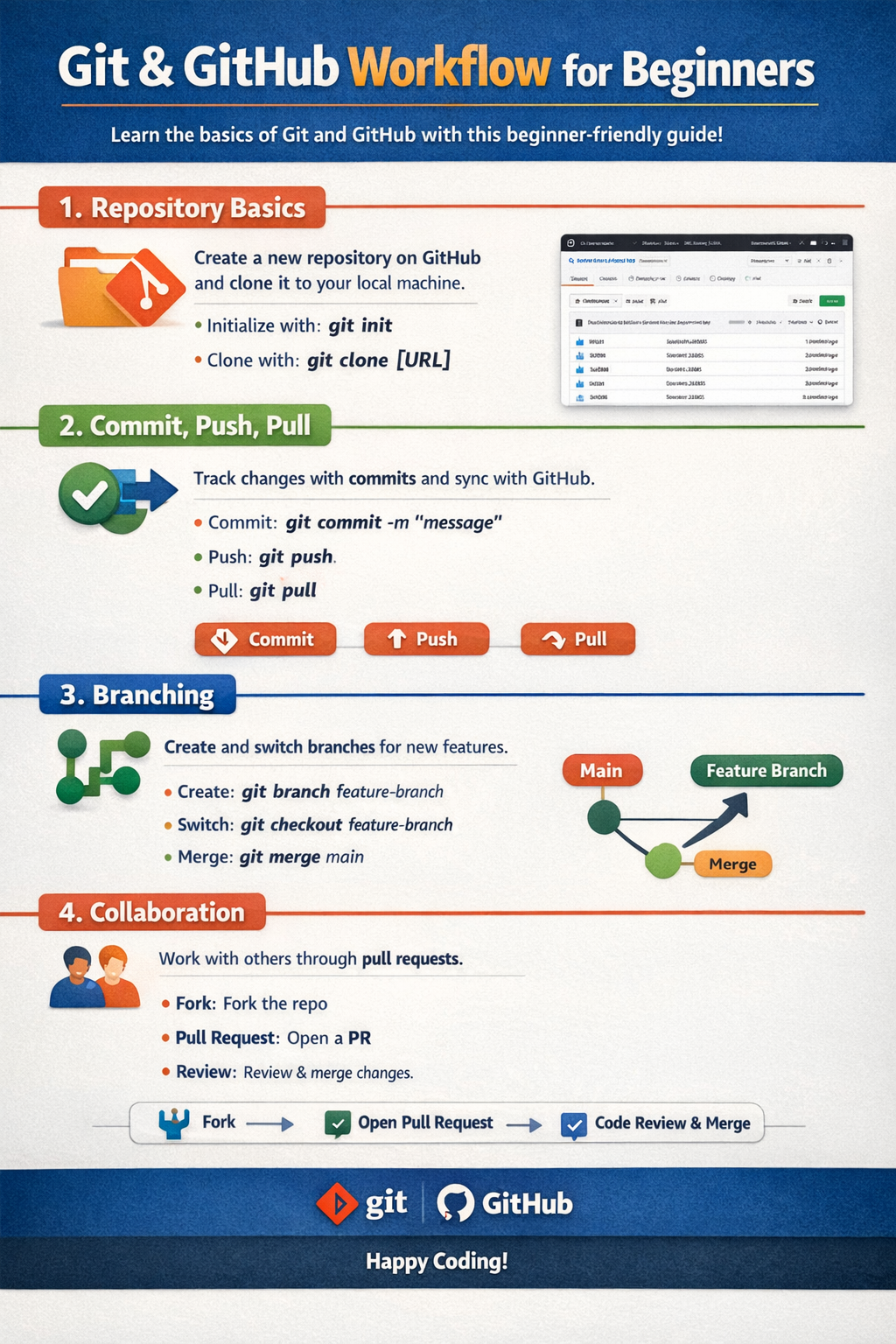
1. Repository Basics
A repository is where your code is stored.
Types:
- Local repository
- Remote repository (GitHub)
Key Concepts:
- Initialize repository
- Clone repository
2. Commit, Push, Pull
These are the core Git operations.
Commit:
- Save changes locally
Push:
- Upload changes to GitHub
Pull:
- Get latest changes from repository
Tip:
Commit frequently with meaningful messages.
3. Branching
Branching helps you work on features independently.
Benefits:
- Work on multiple features
- Avoid breaking main code
Common Commands:
- Create branch
- Switch branch
- Merge branch
4. Collaboration
GitHub makes team collaboration easy.
How It Works:
- Multiple developers work on same project
- Use pull requests
- Review and merge code
Tip:
Always review code before merging.
Conclusion
Learning Git workflow is crucial for developers. It helps in version control, collaboration, and project management.
Following this GitHub tutorial will help you understand Git workflow effectively.
Call to Action
Start practicing Git and GitHub today and improve your development workflow.