Introduction
Customer relationships are the foundation of every successful business. As companies grow, managing leads, tracking sales, and monitoring customer communication manually becomes inefficient. This is where CRM software development plays a critical role.
In this blog, we explore how a CRM system works, including lead management, sales tracking, reporting dashboards, and automation workflows. We also explain how business automation tools help organizations improve productivity and revenue.
What Is a CRM System?
CRM (Customer Relationship Management) software is a centralized system that helps businesses manage customer data, interactions, and sales processes.
It allows companies to:
- Store customer information
- Track communication history
- Monitor sales progress
- Automate follow-ups
- Generate performance reports
A well-built CRM improves efficiency and enhances customer experience.
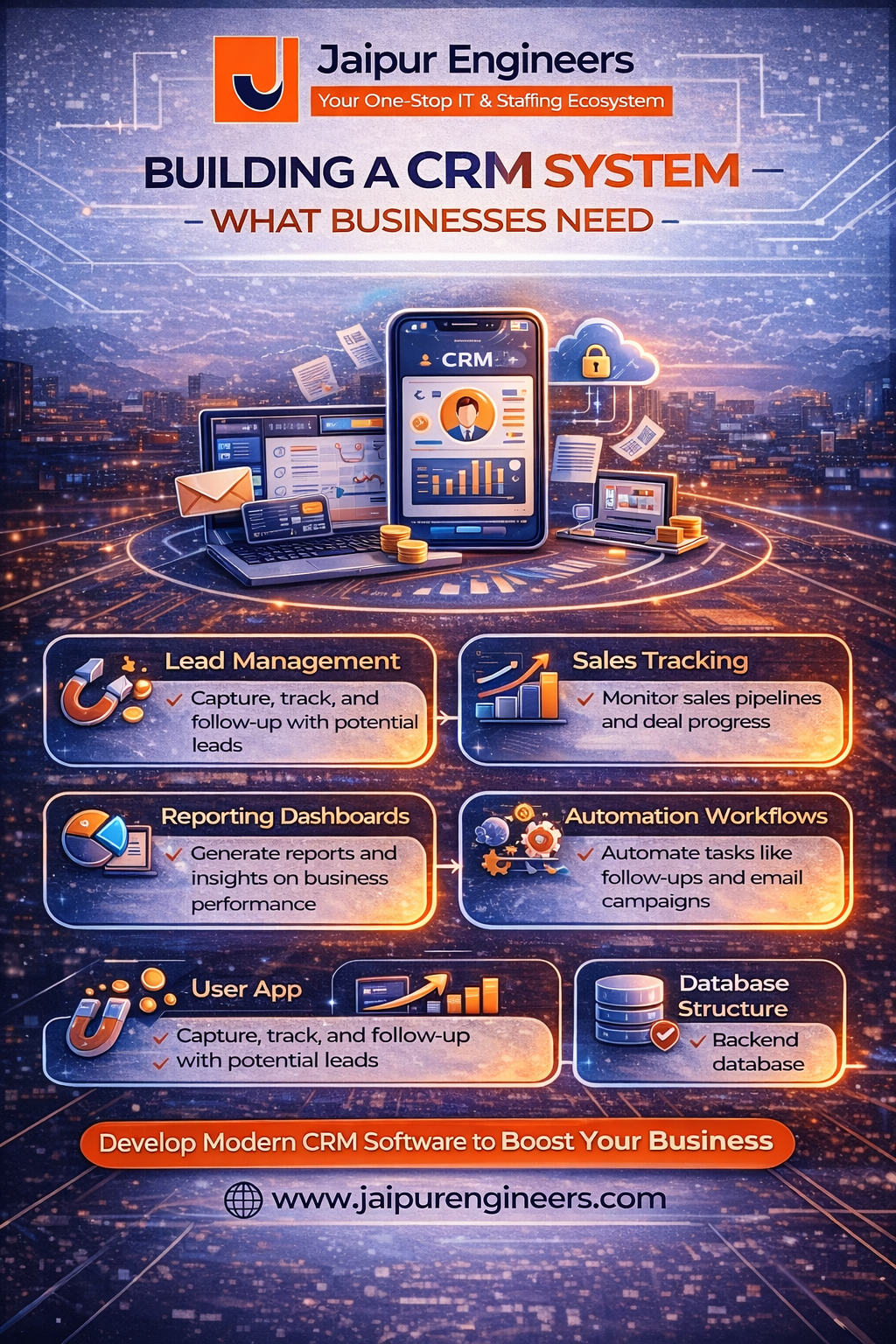
1. Lead Management System
Lead management is one of the core components of CRM software development.
It includes:
- Capturing leads from website forms, ads, or calls
- Storing contact details in a structured database
- Assigning leads to sales representatives
- Tracking lead status (new, contacted, qualified, closed)
This ensures that no potential customer is lost due to poor follow-up.
2. Sales Tracking Module
The sales tracking module monitors the entire sales pipeline.
It helps businesses:
- Track deal stages
- Monitor conversion rates
- Measure team performance
- Forecast revenue
With proper tracking, managers can identify bottlenecks and improve sales strategies.
3. Reporting Dashboards
Reporting dashboards provide visual insights into business performance.
Common dashboard features include:
- Lead source analysis
- Sales performance charts
- Revenue reports
- Monthly growth statistics
- Employee performance metrics
These dashboards are built using data visualization tools and connected directly to the CRM database.
4. Automation Workflows
Automation workflows are a powerful part of business automation tools.
Examples include:
- Automatic email follow-ups
- Lead assignment rules
- Task reminders
- SMS notifications
- Status updates based on triggers
Automation reduces manual work and improves consistency.
Technical Architecture of a CRM System
A typical CRM system includes:
- Frontend (Web dashboard for users)
- Backend (Business logic and API handling)
- Database (Customer and sales data storage)
- Authentication system (User roles and permissions)
- Cloud hosting (Scalability and reliability)
Security and role-based access control are important to protect sensitive business data.
Benefits of CRM Software Development
Implementing a CRM system helps businesses:
- Improve customer retention
- Increase sales productivity
- Centralize data management
- Enhance team collaboration
- Make data-driven decisions
CRM systems are essential for startups, SMEs, and large enterprises alike.
Conclusion
Building a CRM system requires careful planning of lead management, sales tracking, reporting dashboards, and automation workflows.
CRM software development is not just about storing data. It is about improving customer relationships and business efficiency.
As businesses move toward digital operations, demand for CRM and business automation tools will continue to grow.
For students and developers, learning how CRM systems are built provides strong career opportunities in enterprise software development.