Introduction
Inventory management is a critical part of any product-based business. Whether it is retail, manufacturing, or e-commerce, businesses must track stock levels accurately to avoid losses and delays. This is where inventory system development becomes essential.
In this blog, we explain how inventory management software works, including product databases, stock updates, multi-branch handling, reporting systems, and ERP basics.
What Is Inventory Management Software?
Inventory management software is a digital system that helps businesses track products, stock levels, orders, and supply chain movement in real time.
It helps organizations:
- Monitor available stock
- Reduce overstocking and understocking
- Track purchase and sales records
- Generate reports
- Improve operational efficiency
Modern systems are often integrated with ERP (Enterprise Resource Planning) platforms.
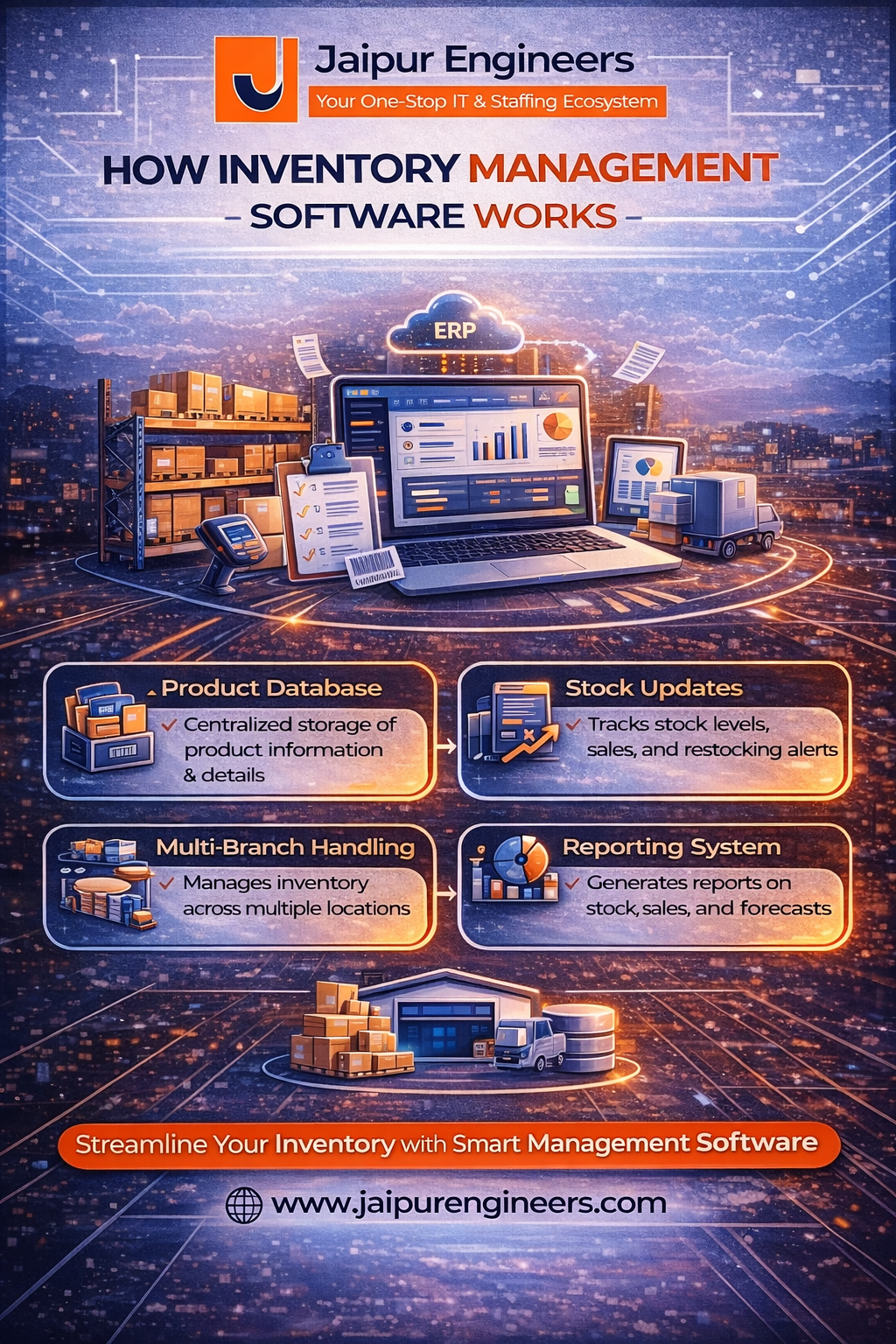
1. Product Database Structure
The product database is the foundation of inventory system development.
It stores information such as:
- Product ID (SKU)
- Product name and category
- Supplier details
- Cost price and selling price
- Stock quantity
- Warehouse location
A well-structured database ensures accurate stock tracking and fast data retrieval.
2. Stock Update Mechanism
Stock levels change dynamically with every transaction.
The system automatically updates stock when:
- A product is sold
- New stock is purchased
- Items are returned
- Transfers occur between branches
Real-time stock updates prevent discrepancies and manual errors.
3. Multi-Branch Handling
Businesses operating in multiple locations require centralized inventory control.
Multi-branch handling includes:
- Separate stock records per branch
- Inter-branch transfer tracking
- Centralized monitoring dashboard
- Location-wise reporting
Cloud-based ERP systems make multi-location management easier and more scalable.
4. Reporting System
The reporting module provides valuable business insights.
Common reports include:
- Stock availability report
- Low stock alerts
- Sales vs inventory comparison
- Supplier performance analysis
- Profit margin reports
These reports help businesses make data-driven decisions.
5. ERP Basics in Inventory Systems
ERP basics involve integrating inventory with other business functions such as:
- Accounting
- Billing
- Procurement
- Sales management
- Human resources
When inventory software connects with ERP modules, it creates a unified business automation ecosystem.
Technical Architecture Overview
A typical inventory management system includes:
- Frontend dashboard for users
- Backend server handling business logic
- Centralized database
- Role-based access control
- Cloud hosting infrastructure
Security and data accuracy are crucial, especially for financial and operational data.
Conclusion
Inventory system development plays a vital role in modern business operations. From product database management to real-time stock updates and multi-branch handling, these systems ensure efficiency and accuracy.
Understanding ERP basics and inventory architecture helps students and developers build strong enterprise-level applications.
As businesses scale, demand for reliable inventory and ERP solutions will continue to grow.