Introduction
UI design tools are essential for developers who want to build visually appealing and user-friendly applications. Understanding design tools helps developers collaborate better and create better user experiences.
In this guide, we will explore the best UI design tools and provide a simple Figma tutorial approach for developers.
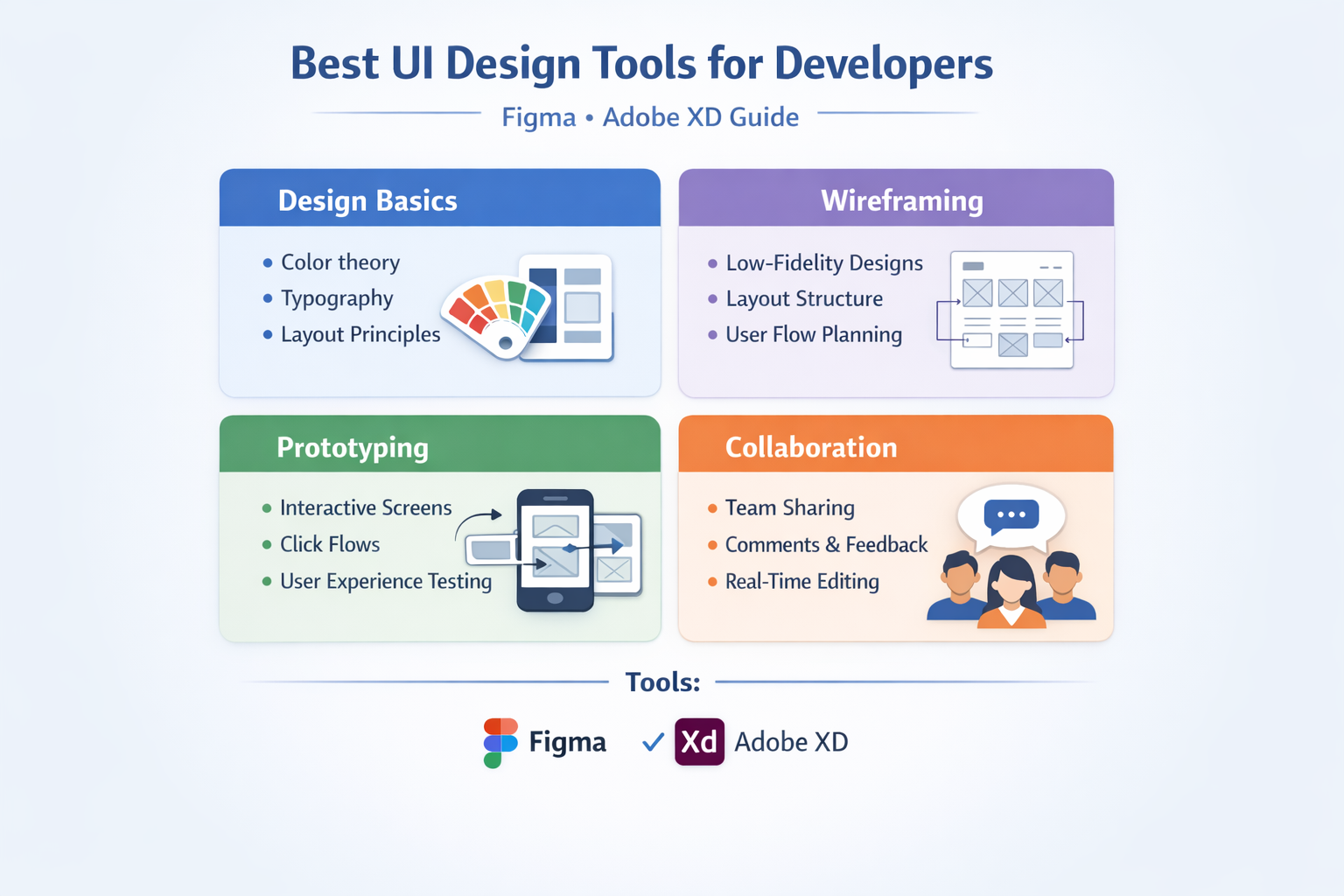
1. Design Basics
Before using tools, understanding basics is important.
Key Concepts:
- Layout and spacing
- Typography
- Color combinations
Tip:
Keep designs simple and consistent.
2. Wireframing
Wireframing helps plan the structure of your UI.
Benefits:
- Clear layout planning
- Better user flow
- Faster development
Tools:
- Figma
- Adobe XD
3. Prototyping
Prototyping allows you to create interactive designs.
What You Can Do:
- Simulate user interactions
- Test design flow
- Improve usability
Tip:
Use prototypes to validate ideas before development.
4. Collaboration
Modern UI tools support team collaboration.
Features:
- Real-time editing
- Comments and feedback
- Version history
Tip:
Collaborate with developers and designers for better results.
Conclusion
Using the right UI design tools like Figma and Adobe XD can improve your development workflow. Focus on design basics, wireframing, prototyping, and collaboration.
Call to Action
Start using UI design tools today and improve your application design skills.