Introduction
E-commerce has transformed the way businesses sell products and services. From small local stores to global marketplaces, online platforms allow customers to browse, purchase, and pay digitally. But how e-commerce websites work behind the scenes?
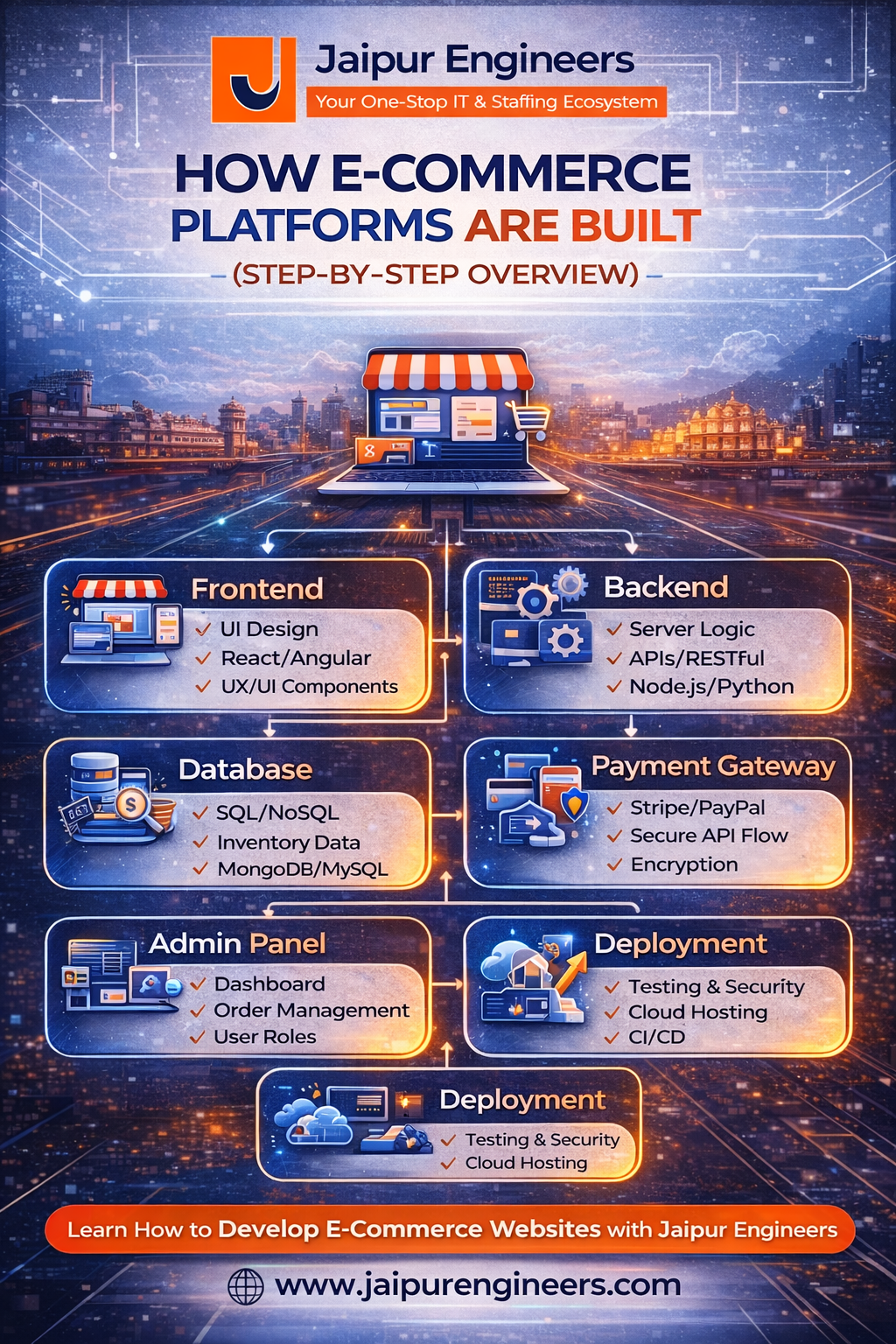
In this blog, we explain online store development step-by-step, covering frontend, backend, payment gateways, database, admin panel, and deployment.
1. Frontend – The User Interface
The frontend is what customers see and interact with.
It includes:
- Homepage and product listings
- Product detail pages
- Search and filters
- Shopping cart
- Checkout page
Frontend technologies commonly used:
- HTML, CSS, JavaScript
- React, Angular, or Vue
The goal of the frontend is to provide a fast, responsive, and user-friendly shopping experience.
2. Backend – The Business Logic
The backend handles the logic and processing behind the scenes.
It manages:
- User authentication
- Product management
- Order processing
- Inventory updates
- API communication
Common backend technologies:
- Node.js
- Java
- Python
- PHP
The backend connects the frontend to the database and external services.
3. Payment Gateway Integration
Payment gateway integration is a crucial part of online store development.
It allows customers to:
- Pay using credit/debit cards
- Use UPI or net banking
- Complete secure digital transactions
The payment process includes:
- User enters payment details
- Data is encrypted
- Payment request sent to gateway
- Bank authorization
- Confirmation response
Security and encryption are critical at this stage.
4. Database – Storing the Data
The database stores all essential information.
It includes:
- User details
- Product data
- Order history
- Payment records
- Inventory levels
Popular database options:
- MySQL
- PostgreSQL
- MongoDB
A well-structured database ensures smooth performance and scalability.
5. Admin Panel – Business Control Center
The admin panel allows business owners to manage the platform.
It helps with:
- Adding or updating products
- Managing orders
- Tracking sales
- Viewing reports
- Handling customer queries
Without a strong admin panel, business automation becomes difficult.
6. Deployment – Going Live
Deployment is the final step where the application is hosted on a server.
This includes:
- Cloud hosting setup
- Domain configuration
- SSL certificate installation
- Performance optimization
- Monitoring and backups
Once deployed, the e-commerce platform becomes accessible to users worldwide.
Conclusion
Understanding how e-commerce websites work requires knowledge of frontend design, backend logic, payment gateway integration, database management, and deployment.
Online store development is a combination of technical architecture and user experience design.
For students and developers, mastering these components opens strong career opportunities in the fast-growing e-commerce industry.