UI/UX Design Course in Jaipur | Jaipur Engineers

UI UX Design Course – Tutorial (Beginner to Advanced)
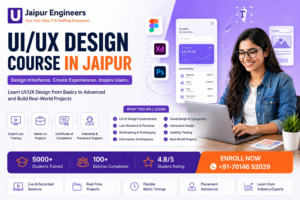
UI UX Design Course in Jaipur is designed for beginners and professionals who want to learn user interface and user experience design from basics to advanced level. This free UI UX curriculum includes Figma training, wireframing, prototyping, responsive design, usability testing, portfolio building, and real-world projects to help students become industry-ready UI UX designers.
What You Will Learn in This UI UX Design Course
This UI UX course is structured to give you complete knowledge of design concepts and practical skills.
UI UX Fundamentals
Learn the basics of UI design, UX design, differences between them, and the complete design process.
Design Principles
Understand color theory, typography, layout, and visual hierarchy.
User Research
Learn user personas, journey mapping, empathy mapping, and UX research techniques.
Wireframing and Prototyping
Create low-fidelity and high-fidelity wireframes and interactive prototypes.
Design Tools Training
Master tools like Figma and Adobe XD.
Web and Mobile Design
Design websites, mobile apps, dashboards, and e-commerce interfaces.
UX Best Practices
Learn usability, accessibility, design systems, and micro-interactions.
Portfolio and Career
Build portfolio, case studies, resume, and prepare for interviews.
Complete UI UX Course Curriculum
Section 1: Introduction to UI UX Design
What is UI Design
What is UX Design
Difference between UI and UX
Career opportunities in UI UX
UI UX design process
Section 2: Design Fundamentals
Principles of design
Color theory
Typography
Layout and composition
Visual hierarchy
Section 3: User Research and Analysis
User personas
User journey mapping
Empathy mapping
Competitor analysis
UX research techniques
Section 4: Wireframing and Prototyping
Low-fidelity wireframes
High-fidelity wireframes
Interactive prototyping
Usability testing
Design thinking process
Section 5: UI Design Tools Training
Figma training
Adobe XD basics
Prototyping in Figma
Components and auto layout
Responsive design
Section 6: Web and Mobile App Design
Website UI design
Mobile app UI design
Responsive UI design
Dashboard design
E-commerce UI design
Section 7: UX Best Practices
Usability principles
Accessibility standards
Design systems
Micro-interactions
UX case studies
Section 8: Portfolio and Real-Time Projects
Live client projects
Case study creation
Portfolio building
Resume preparation
Interview preparation
Why Choose This Free UI UX Course
Beginner to Advanced Learning Path
Start from basics and move to advanced design concepts.
Hands-On Projects
Work on real-world UI UX projects and case studies.
Industry-Relevant Tools
Learn tools like Figma used by professionals.
Job-Ready Skills
Build portfolio, resume, and prepare for interviews.
Who Should Join This Course
Students looking to start a career in UI UX design
Developers who want to learn design skills
Freelancers who want to offer UI UX services
Anyone interested in design and user experience
Career Opportunities After This Course
After completing this UI UX design course, you can apply for roles like:
UI Designer
UX Designer
Product Designer
Interaction Designer
FAQs
Is this UI UX design course free
Yes, this is a completely free UI UX design tutorial.
How long does it take to learn UI UX design
It depends on practice, but beginners can start building projects within a few weeks.
Which tool is best for UI UX designui ux certification course
Tools like Figma are widely used in the industry.
Can I get a job after this course
Yes, with proper practice, portfolio, and interview preparation, you can apply for UI UX jobs.
Start Learning UI UX Design
Start your journey today with this complete UI UX design course and become a professional designer with real-world skills.
Instructor

Popular Courses